


📜 What Are Orphan Pages in SEO? Complete Guide with Ahrefs, WordPress, and Screaming Frog
Orphan Pages Seo. In SEO, every page should have a purpose, a path, and a connection to other parts of your site. But what happens when a page is published and then forgotten? These are referred to asorphan pages, and they can negatively impact your website’s visibility and search engineperformance. On-Page SEO Checklist for New Websites: Audit & Optimization Guide
This guide explains what orphan pages are, why they’re bad for SEO, and how to find and fix them using tools like Ahrefs, Screaming Frog, SEMrush, and WordPress plugins. We’ll also explore related queries like “what are orphan pages,” “orphan pages sitemap,” “orphan pages SEO meaning,” and more. Best Laptop Graphic Card: Complete Guide to Choosing the Right GPU for Your Laptop (2026)
🔍 What Are Orphan Pages in SEO?
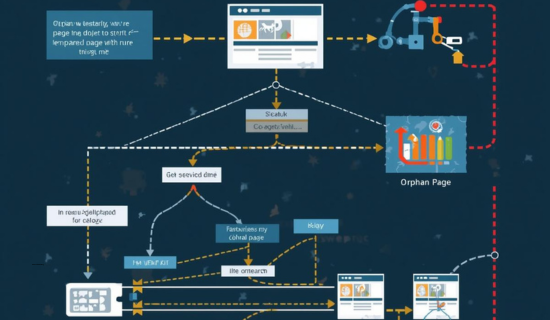
Orphan pages are web pages on a site that have no internal links pointing to them. That means users and search engines can’t easily discover them by navigating through your website. How to Make Big Money with High-Ticket Amazon Affiliate Niches in 2026
“Orphan pages SEO” is a common query used by technical SEO specialists who want to find and resolve crawlability issues.
🔗 Unrelated Terms (Clarified Separately) Orphan Pages Seo
While researching orphan pages in SEO, you may come across similarly worded but unrelated phrases. Here’s what they mean and why they aren’t relevant:
Orphaned Pages in Confluence: In Atlassian Confluence, orphaned pages refer to documentation or knowledge base pages that arenot linked from any parent page within a workspace. Again, not related to website SEO. Best laptop for Hacking, Exploring with AI, and powerful Recommendations
Orphaned Web Pages: Often used interchangeably with orphan pages, but can sometimes refer to removed or unpublished pages left in the backend of a CMS.
Orphaned Web Pages Meaning: Generally refers to leftover or inactive web pages with no functional purpose—not to be confused with orphan pages in SEO.
The Ultimate Guide to Robots.txt: Prevent Google Indexing Issues
Orphaned Facebook Page: A business or personal page without an active admin. Not related to web SEO.
Internal Linking SEO Made Easy: Improve Rankings, User Experience & Conversions
🔍 Orphan Page Definition (Simplified): Orphan Pages Seo
A page that lives on your site but is not linked to from any other page. It only exists if accessed directly or via sitemap.
❌ Why Are Orphan Pages Bad for SEO? Orphan Pages Seo
- Low Crawlability: Google can’t easily find these pages if they’re not in the sitemap or linked internally.
- Wasted Crawl Budget: Googlebot may skip important pages if your crawl structure is disorganized.
- Loss of Link Equity: Orphan pages don’t receive internal backlinks, so they don’t get PageRank.
- Poor UX: Users can’t discover these pages naturally, which impacts engagement.
Related search terms include:
- Why are orphan pages bad
- Why are orphan pages bad for SEO
- Orphan pages and their impact on SEO
How Google AdWord Keywords Work in 2026 (Complete Walkthrough)
🔮 How to Find Orphan Pages (Ahrefs, Screaming Frog, GSC) Orphan Pages Seo
1. 📈 Using Ahrefs
- Run a Site Audit.
- Connect Google Analytics and Google Search Console.
- Use the “Orphan Pages” report in Ahrefs.
Searches:
- How to find orphan pages in Ahrefs
- orphan pages ahrefs
2. 📋 Using Screaming Frog
- Enable “Crawl Linked XML Sitemap”.
- Compare crawl list vs sitemap.
- Analyze orphan pages using Screaming Frog and Screaming Frog orphan pages reports. Enterprise-Grade SaaS Software Made Simple & Scalable
Searches:
- How to find orphan pages with Screaming Frog
- How to find orphan pages in Screaming Frog
- Screaming Frog orphan pages
3. 📅 Using Google Search Console
- Check pages that get impressions but aren’t linked internally.
- Cross-check sitemap pages with internal link structure.
Searches:
- Google Search Console orphan pages: How to Get Started as a Freelance Video Editor?
4. ⚖️ Comparing Sitemap vs Internal Link Map
- Use XML sitemap and crawl report to identify missing links.
Searches:
- orphan pages sitemap
- orphan pages in sitemap Lawyer SEO Service That Gets powerful Results with power
⚖️ How to Fix Orphan Pages
- Audit all URLs using a crawl tool
- Remove or redirect useless or outdated orphaned content
- Add Internal Links from relevant pages
- Use Contextual Linking for SEO-rich anchors
Search terms:
- How to fix orphan pages
- What to do with orphan pages
- How to resolve orphan pages
- How to identify orphan pages
- orphan pages check
- How to check orphan pages
WordPress Users:
- Use plugins like Yoast SEO or RankMath
- Related search: orphan pages WordPress Professional YouTube Video Editing Services That Skyrocket Watch Time
🧠 Orphan Pages vs Dead-End Pages
| Type | Definition |
|---|---|
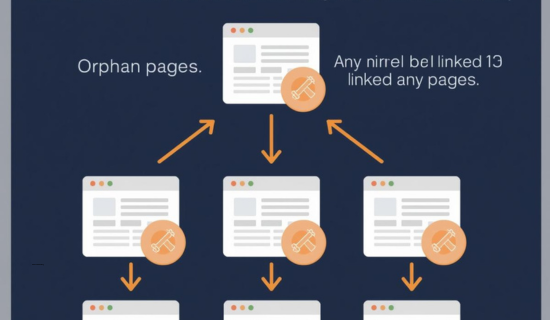
| Orphan Page | No internal links TO the page |
| Dead-End Page | No links FROM the page |
| Orphan Landing Page | Standalone pages without links or context |
Related:
- orphan landing page
- dead-end orphan Wikipedia pages
🔍 Orphan Page Checker Tools
| Tool | Use Case | Notes |
| Ahrefs | Full audit, GA/GSC, internal link issues | Paid |
| Screaming Frog | Sitemap vs crawl, orphan detection | Free (up to 500 URLs) |
| SEMrush | Technical audit, broken/internal links | Paid |
| Sitebulb | Visualization of orphan and dead-end pages | Paid |
Searches:
- Orphan Pages Checker Tool
- orphan pages check
🔎 Examples & Related Phrases
- orphan pages example
- Orphan pages SEO meaning
- SEO orphan pages
- What are orphan pages
- What are orphan pages SEO
- orphan explained
- orphan web pages
- orphan x reader
Note: Keywords like orphan x pages, orphan train how many pages, orphan island page count, etc., relate to literature. Avoid mixing those with technical SEO content.
❌ Unrelated Terms Explained (Not Connected to SEO Orphan Pages)
- Orphaned Web Pages: This phrase sometimes refers to unpublished or inactive pages in a CMS backend. It is unrelated to SEO orphan pages and should not be confused.
- Orphaned Web Pages Meaning: A generic phrase that typically describes outdated or unused pages left on a website without context. It has no direct relation to SEO orphan pages.
- Orphaned Facebook Page: Refers to a Facebook page with no admin or ownership. This is a social media management issue, not a website or SEO concern.
- Orphaned Pages Confluence: In Atlassian Confluence, these are documentation pages without parent connections. This is related to internal documentation management, not website SEO.

🤐 Detailed FAQs Technical SEO Guide: How to Identify and Fix Orphan Pages
What are orphan pages in SEO?
Orphan pages in SEO are pages that exist on a website but have no internal links pointing to them. Because they are disconnected from the site structure, search engines and users cannot easily discover them through navigation.
Why do orphan pages matter for SEO?
Orphan pages matter because internal links help search engines crawl, understand, and rank content. Pages without internal links usually receive little authority, which limits their visibility and ranking potential.
Why are orphan pages bad for SEO?
Orphan pages are bad for SEO because they waste crawl budget, receive no internal link equity, and often remain unindexed or poorly ranked even if the content itself is valuable.
How can I find orphan pages on a website?
You can find orphan pages by comparing crawl data with sitemap, analytics, or internal link reports. Pages that exist in a sitemap or receive traffic but are not linked internally are typically orphan pages.
How do SEO experts find orphan pages using Ahrefs?
SEO experts use Ahrefs by running a Site Audit and connecting Google Analytics and Google Search Console. Ahrefs then highlights URLs that receive visits but have no internal links pointing to them.
How does Screaming Frog help identify orphan pages?
Screaming Frog helps identify orphan pages by crawling both the website and the XML sitemap. Pages found only in the sitemap and not during the crawl are flagged as orphan pages.
Can Google Search Console show orphan pages?
Google Search Console can help indirectly by showing pages that receive impressions or clicks but are not linked internally. These pages often indicate orphan page issues.
Can orphan pages still appear in an XML sitemap?
Yes, orphan pages can appear in an XML sitemap even if they have no internal links. However, sitemap inclusion alone does not guarantee strong indexing or rankings.
How do you fix orphan pages to improve SEO?
Orphan pages are fixed by adding relevant internal links, improving navigation structure, redirecting outdated URLs, or removing pages that no longer provide value.
What should you do with outdated or low-quality orphan pages?
Outdated or low-quality orphan pages should be redirected to relevant content or removed entirely to prevent crawl budget waste and index bloat.
Are orphan pages common on WordPress websites?
Yes, orphan pages are common on WordPress websites due to deleted menu items, unpublished category pages, plugin-generated URLs, or weak internal linking practices.
What is the difference between orphan pages and dead-end pages?
Orphan pages have no internal links pointing to them, while dead-end pages do not link out to other internal pages. Both issues affect crawlability but in different ways.
Can orphan landing pages impact SEO and conversions?
Orphan landing pages may still convert through paid or direct traffic, but without internal links, they do not support long-term SEO growth or authority building.
How often should a website check for orphan pages?
Websites should check for orphan pages during regular technical SEO audits, especially after site redesigns, migrations, or large-scale content updates.
📢 Final Thoughts: Eliminate Orphan Pages for Better Rankings
Orphan pages are easy to miss but critical to fix. Whether you’re using Ahrefs, Screaming Frog, WordPress, or Google Search Console, it’s time to:
- Audit your site structure
- Link all valuable content internally
- Remove irrelevant orphaned content
Need help? At Wonbolt.com, we offer:
- Technical SEO audits
- Internal linking optimization
- Orphan page repair
📧 Email us at: infowonbolt@gmail.com to get started today!