


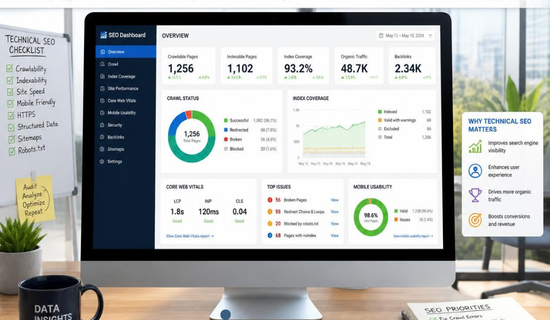
What is Technical SEO Testing.A website can look perfect and still have serious SEO problems.Pages may load correctly for visitors but remain invisible to search engines.
Some URLs may also waste crawl resources or send mixed indexing signals.That’s why Technical SEO Testing matters.
It helps you find problems affecting crawling, indexing, speed, mobile usability, and search visibility.
It also helps you confirm whether recent website changes worked correctly.
Google continues updating its Search documentation throughout 2026.
Recent updates cover JavaScript, crawling, structured data, AI features, and technical search systems.
The Silent Traffic Killer: Why You Need a Technical SEO Audit Now
So, an old technical audit checklist isn’t always enough.
This guide explains practical tests you can run on almost any website.
The goal is simple: find technical problems before they become ranking problems.
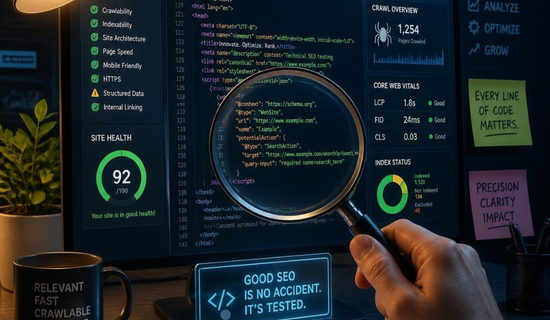
What Is Technical SEO Testing?
Technical SEO testing checks how search engines access, understand, and process your website.
It focuses on the technical parts behind your content.
These tests can examine:
- Crawling and indexing
- HTTP status codes
- Canonical URLs
- Robots.txt rules
- XML sitemaps
- Mobile performance
- Core Web Vitals
- Structured data
- JavaScript rendering
- Internal links
The process isn’t about making a website complicated.
Instead, it’s about removing barriers between your pages and search engines.
“Google Search has been rendering JavaScript for multiple years.”
Google Search Central clarified this point in its 2026 documentation updates.
That doesn’t mean JavaScript needs no testing.
A JavaScript page can still fail when important content isn’t available after rendering.
Therefore, rendered HTML should be checked during serious technical audits.
Why Technical SEO Testing Matters
Search engines need clear signals before they can index your pages correctly.
For example, a page might have a canonical tag pointing somewhere unexpected.
Another page might accidentally contain a noindex directive.
Both problems can remain invisible during normal browsing.
That’s why technical SEO testing should happen after major website changes.
Technical SEO Specialist Explained: Everything You Need to Know
It should also happen during regular SEO maintenance.
Google’s documentation confirms that crawling and indexing depend on technical signals across your website.
Start With Crawlability
First, check whether important pages can be crawled.
Open your robots.txt file and review every important rule.
Look for accidental blocking of important folders or pages.
Then compare robots.txt rules with your actual SEO goals.
A blocked page can’t be crawled normally by Googlebot.
However, robots.txt isn’t the same as a noindex instruction.
Technical SEO Explained: A Practical Checklist for Better Rankings
A robots.txt rule controls crawling.
A robots meta tag can control indexing after a page has been crawled.
“Robots.txt is not a mechanism for keeping a webpage out of Google.”
Google Search documentation explains the distinction between crawling and indexing.
Check Your XML Sitemap
Your XML sitemap should contain URLs that you actually want indexed.
Remove redirects, broken URLs, and unnecessary duplicate URLs.
Then compare sitemap URLs with your canonical URLs.
A clean sitemap gives search engines clearer information about your preferred pages.
Also check the sitemap inside Google Search Console.
Watch for submitted URLs that fail indexing.
Website and SEO Secrets Top Agencies Don’t Want You to Know
Those warnings can reveal technical problems worth investigating.
Test Indexability Carefully
Indexability is one of the most important parts of technical SEO.
A page can be crawlable without being indexable.
Check important URLs for:
noindexdirectives- Canonical conflicts
- Redirect responses
- Missing content
- Soft 404 signals
- Server errors
You can use Google Search Console’s URL Inspection tool for individual URLs.
Test both important pages and recently changed pages.
Don’t assume that a successful browser visit means Google can index everything.
Actually, scratch that.
The browser only shows you what happens for a normal visitor.
Search engines process many additional technical signals.
High-Impact SEO for Jewelry Brands That Want Real Growth
Test HTTP Status Codes
Every important URL should return an appropriate HTTP response.
A normal accessible page usually returns HTTP 200.
A permanently moved page should normally use a 301 redirect.
Temporary redirects may require different handling.
Meanwhile, 404 and 410 responses should be reviewed for unnecessary errors.
Redirect chains deserve special attention.
For example:
URL A → URL B → URL C
That’s less efficient than:
URL A → URL C
Google continues improving its crawling documentation around HTTP status handling. Interamplify SEO Agency Exposed: Better Alternatives for Faster Growth
A Simple Status Test
| Status | Common Meaning | What To Check |
|---|---|---|
| 200 | Page works | Content and indexing |
| 301 | Permanent redirect | Final destination |
| 302 | Temporary redirect | Redirect purpose |
| 404 | Page missing | Broken internal links |
| 410 | Page removed | Whether removal is intentional |
| 5xx | Server problem | Hosting and server logs |
Testing status codes is especially useful after migrations.
It can also expose broken internal links that visitors rarely notice.

Check Canonical URLs
Canonical tags help search engines understand preferred URLs.
However, canonical tags aren’t magic commands.
Google may choose another canonical URL when signals conflict.
Therefore, check the following:
- Canonical tag exists
- Canonical URL returns 200
- Canonical URL is indexable
- Internal links support the canonical
- Sitemap uses preferred URLs
- Redirects don’t conflict with canonicals
Imagine having three versions of one product page.
Each version sends a different canonical signal.
That’s a technical conflict worth fixing.
Consistent signals make your site easier to process.
Test Core Web Vitals
Page experience still deserves technical attention.
Google’s Core Web Vitals include:
| Metric | What It Measures | Good Target |
|---|---|---|
| LCP | Loading performance | 2.5 seconds or less |
| INP | Interaction response | 200 milliseconds or less |
| CLS | Visual stability | 0.1 or less |
These thresholds are useful testing targets.
However, don’t chase scores without understanding real users.
A page can score well while still frustrating visitors.
Test important templates instead of checking only your homepage.
Product pages, articles, category pages, and landing pages can behave differently.
Use real-user data when available. AI Translation Earbuds Masterclass: Everything You Need to Know
Then compare it with laboratory testing.
Test Mobile Rendering
Mobile testing remains essential because many users access websites through phones.
Check menus, buttons, images, forms, headings, and content visibility.
Don’t simply resize your desktop browser.
Use actual mobile testing tools when possible.
Also check whether important content appears after JavaScript execution.
Google’s current documentation confirms that JavaScript rendering is an established part of Search.
Still, rendering problems can affect what search systems receive.
So, inspect the rendered page when technical issues appear.
Check Structured Data
Structured data helps Google understand specific content types.
It can support eligible search features when correctly implemented.
However, adding schema doesn’t guarantee a rich result.
Test your markup for errors and unsupported properties.
Also compare structured data with visible page content.
The markup should accurately represent what users can see.
Google continues maintaining documentation around supported structured data features.
One major 2026 change also matters here.
Google removed documentation for the FAQ rich result feature because it is no longer shown in Search.
So, don’t build an SEO strategy around FAQ rich results.
FAQs can still help users understand your content.
Just don’t confuse useful content with guaranteed search features.
Don’t Ignore AI Search Technical Checks
Search has expanded beyond traditional blue links.
Google now documents AI Overviews and AI Mode as part of its search ecosystem.
That makes accessible, useful content even more important.
However, technical SEO fundamentals still matter.
Search engines need to access your content before they can process it.
Check whether important content is blocked, hidden, or dependent on broken scripts.
Also review your robots rules carefully.
Google clarified in June 2026 that llms.txt isn’t required for Google Search.
It also doesn’t provide a positive or negative ranking effect in Google Search.
So, don’t waste an audit focusing on unsupported ranking claims.
Focus on crawlability, accessibility, content, and clear technical signals instead.
“SEO best practices continue to be relevant” for Google’s generative AI features.
Google included this point in its 2026 AI search guidance.
Use a Technical SEO Testing Workflow
A good testing process should follow a logical order.
Start with the biggest technical risks.
Then move toward detailed page-level checks.
First Testing Group
- Crawl the website
- Check robots.txt
- Review XML sitemaps
- Test HTTP status codes
- Find redirect chains
- Check indexability
Second Testing Group
- Review canonical tags
- Test mobile rendering
- Check Core Web Vitals
- Validate structured data
- Inspect JavaScript rendering
- Review internal linking
This approach keeps audits manageable.
It also makes it easier to track fixes.
A Realistic Testing Example
A friend who runs a small bakery recently changed his website theme.
The pages looked fine after launch.
However, several important category URLs had unexpected canonical tags.
Those URLs weren’t obviously broken.
Yet the technical test revealed the problem quickly.
After correcting the templates, the site sent clearer signals.
That’s the value of technical SEO testing.
It finds problems that normal browsing can miss.
Sound familiar?
Website redesigns often create these issues without anyone noticing immediately.

How Often Should You Test Technical SEO?
There’s no universal testing schedule for every website.
Large websites usually need more frequent monitoring.
Small websites can use a simpler routine.
Run a deeper audit after:
- Website redesigns
- Domain migrations
- Major URL changes
- CMS updates
- Theme changes
- Large technical releases
Then monitor important technical signals regularly.
Google also recommends using Search Console to understand search performance and indexing issues.
Common Technical SEO Testing Mistakes
Some testing mistakes appear again and again.
The first is checking only the homepage.
Your homepage may work perfectly while product pages fail.
Another mistake is trusting one SEO tool completely.
Tools can identify useful patterns.
Still, they don’t replace manual investigation.
A third mistake is fixing symptoms without finding causes.
For example, hundreds of broken URLs may come from one template error.
Fixing the template can solve the larger problem.
In my view, this matters more than collecting hundreds of audit warnings.
Prioritize issues based on their impact.
Technical SEO Testing Tools
Several tools can support your testing workflow.
Google Search Console provides indexing and search performance information.
Google PageSpeed Insights helps assess page performance.
Screaming Frog can crawl websites and identify technical patterns.
Semrush and Ahrefs provide broader site auditing features.
Browser developer tools can help investigate rendering problems.
Server logs can provide deeper crawling information.
No single tool sees everything.
A strong audit combines automated checks with manual testing.
Technical SEO Testing Checklist
Before finishing an audit, confirm the critical signals.
| Test | Pass Condition |
|---|---|
| Robots.txt | Important pages aren’t blocked |
| Sitemap | Contains valid preferred URLs |
| Indexability | Important pages can be indexed |
| Canonicals | Signals are consistent |
| Redirects | No unnecessary chains |
| Status codes | Important pages return suitable responses |
| Mobile | Content works on mobile |
| Core Web Vitals | Important templates meet targets |
| Structured data | Markup is valid and accurate |
| JavaScript | Important content renders correctly |
Keep this table as a practical audit reference.
Then record every failed test.
Assign each issue a priority and responsible person.
Conclusion
Technical SEO isn’t a one-time task.
Websites change constantly.
Themes update, plugins change, developers modify templates, and URLs move.
Each change can introduce new technical problems.
That makes technical SEO testing an ongoing part of SEO maintenance.
Start with crawling and indexing.
Then test redirects, canonicals, performance, mobile rendering, and structured data.
Finally, inspect JavaScript and AI search accessibility where relevant.
The goal isn’t to create a perfect technical score.
The goal is to make your website easier to crawl, understand, and use.
When technical signals stay clean, your content gets a stronger foundation for search visibility.
Need Help With Technical SEO?
Technical SEO problems can stay hidden until they affect your traffic, rankings, or indexing. Wonbolt helps businesses find and fix technical SEO issues before they become bigger problems.
From crawlability and indexing to broken links, redirects, canonical issues, site speed, and technical SEO audits, we can help strengthen your website’s technical foundation.
Ready to find what’s holding your website back?
Contact Wonbolt today for professional technical SEO services tailored to your website.
Wonbolt
🌐 Website: https://wonbolt.com
📧 Email: infowonbolt@gmail.com
📍 Remote SEO Services: Available Worldwide
Let’s find the technical issues, fix them properly, and build a stronger foundation for your SEO growth.
Frequently Asked Questions
1. What is technical SEO testing?
Technical SEO testing checks whether search engines can crawl and understand your website correctly.
It examines indexing, redirects, canonicals, performance, structured data, and other technical signals.
2. How often should technical SEO testing be performed?
Perform deeper testing after major website changes.
Regular monitoring can then catch new problems before they grow.
3. Which tool is best for technical SEO testing?
No single tool is perfect for every technical problem.
Google Search Console, Screaming Frog, PageSpeed Insights, Semrush, and Ahrefs serve different purposes.
4. Does technical SEO affect rankings?
Technical problems can prevent pages from being crawled, indexed, or processed correctly.
Therefore, fixing technical barriers can support search visibility.
5. Should I test JavaScript SEO?
Yes, especially when important content depends on JavaScript.
Check the rendered page when content or links aren’t visible normally.
6. Is llms.txt required for Google Search?
No.
Google clarified in June 2026 that llms.txt isn’t required for Google Search.
It also doesn’t provide a ranking benefit or penalty in Google Search.