



Technical SEO check list: Everything You Need to Optimize Your Website
technical seo check list, A strong SEO strategy starts with a comprehensive technical SEO checklist. While content and backlinks are essential ranking factors, technical SEO creates the foundation that allows search engines to crawl, index, and rank your website effectively.
Many businesses invest heavily in content marketing and link building, but overlook technical issues that silently hurt their rankings. Broken pages, slow loading times, indexing problems, and poor site architecture can prevent even the best content from achieving top search engine rankings.
This guide covers a complete technical SEO checklist that businesses, website owners, and digital marketers can use to improve website performance, search visibility, and user experience. The Silent Traffic Killer: Why You Need a Technical SEO Audit Now
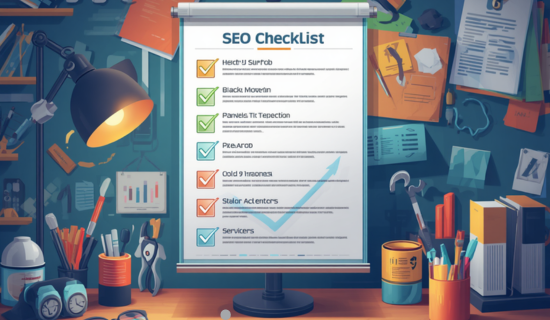
What Is Technical SEO? technical seo check list
Technical SEO refers to the process of optimizing a website’s infrastructure so search engines can efficiently crawl, index, and understand its content.
Unlike on-page SEO, which focuses on content optimization, technical SEO addresses website architecture, page speed, mobile usability, structured data, indexing, and security.
The primary goal is to remove technical barriers that prevent search engines from accessing and ranking your website.
Why Is Technical SEO Important?
A technically optimized website offers:
- Better crawlability
- Improved indexing
- Faster page loading speeds
- Enhanced user experience
- Higher search rankings
- Increased organic traffic
- Better Core Web Vitals scores
- Greater conversion rates
Without proper technical SEO, even high-quality content may struggle to rank.
The Hidden Ecommerce SEO Opportunities Your Competitors Are Missing
Complete Ttechnical seo check list
1. Verify Website Indexing
The first step in any technical SEO audit checklist is ensuring that important pages are indexed.
Check:
- Indexed pages in Google
- Excluded URLs
- Noindex tags
- Index coverage errors
- Canonical issues
Tools:
- Google Search Console
- Screaming Frog
- Sitebulb
Search:
site.com
to see how many pages Google has indexed. Off-Page SEO Made Simple: Everything You Need to Know in 2026
2. Optimize Crawlability
Search engines need unrestricted access to crawl your website.
Technical SEO Checklist for Crawlability
Review robots.txt file
Ensure important pages aren’t blocked
Remove unnecessary crawl barriers
Fix crawl errors
Improve internal linking
Update XML sitemap
How to Build Authority With Forum SEO & Quality Backlinks in 2026
3. Create and Submit XML Sitemaps
XML sitemaps help search engines discover important pages faster.
Best Practices, technical seo check list
- Include only indexable URLs
- Remove redirects
- Exclude duplicate pages
- Update automatically
Submit your sitemap through Google Search Console.
Example:
yourdomain.com/sitemap.xml
Results-Driven SEO copywriting services for Businesses That Want Growth
Write For Us Technology – Contribute to a Trusted Tech Blog
4. Improve Website Architecture in technical seo check list
A clear website structure improves user navigation and search engine crawling.
Ideal Structure
Home
Services
Service Pages
Blog Categories
Blog Posts
Technical SEO Site Structure Checklist
Logical URL hierarchy
Shallow click depth
Strong internal linking
Clear navigation menus
Breadcrumb implementation
Interamplify SEO Agency Exposed: Better Alternatives for Faster Growth
5. Optimize URL Structure,in technical seo check list
SEO-friendly URLs help search engines understand page content.
Good URL Example
yourdomain.com/technical-seo-checklist
Poor URL Example
yourdomain.com/page?id=12345
Checklist
✓ Short URLs
✓ Keyword-rich URLs
✓ Hyphens instead of underscores
✓ No unnecessary parameters
Shopify SEO Made Simple: The Step-by-Step Guide to More Customers
6. Fix Broken Links and Errors, technical seo check list
Broken pages waste crawl budget and create poor user experiences.
Check For
- 404 errors
- 500 server errors
- Broken internal links
- Broken external links
- Redirect chains
Recommended Tools
- Ahrefs Site Audit
- Semrush Site Audit
- Screaming Frog SEO Spider
Results-Driven SEO copywriting services for Businesses That Want Growth
7. Implement HTTPS Security, technical seo check list
Google considers HTTPS a ranking signal.
Technical SEO Security Checklist
✓ SSL certificate installed
✓ HTTPS redirect enabled
✓ No mixed content warnings
✓ Secure login pages
✓ Updated canonical URLs
SaaS Write for Us Opportunities That Deliver Real SEO Results
8. Optimize Website Speed
Page speed is a critical ranking factor and user experience signal.
Technical SEO Performance Checklist
✓ Compress images
✓ Enable browser caching
✓ Minify CSS and JavaScript
✓ Use a CDN
✓ Reduce server response time
✓ Optimize database performance
✓ Enable GZIP compression
Recommended Tools
- Google PageSpeed Insights
- GTmetrix
- Lighthouse
AI Write for Us – Contribute Expert AI Content on Wonbolt
9. Improve Core Web Vitals
Core Web Vitals directly impact search rankings.
Key Metrics
Largest Contentful Paint (LCP)
Target:
Under 2.5 seconds
Interaction to Next Paint (INP)
Target:
Under 200 milliseconds
Cumulative Layout Shift (CLS)
Target:
Under 0.1
Optimization Tips
- Optimize images
- Reduce JavaScript execution
- Improve server response
- Reserve space for images and ads
How to Detect Hidden Cameras Using Your Smartphone
10. Ensure Mobile-Friendliness
Google uses mobile-first indexing.
Mobile SEO Checklist
Responsive design
Mobile-friendly navigation
Fast mobile loading
Readable font sizes
Proper touch elements
Mobile usability error-free
Technology Writing Jobs: How to Earn Massive Income as a Tech Writer in 2026
11. Optimize Internal Linking, technical seo check list
Internal links help distribute authority throughout your website.
Technical SEO Internal Linking Checklist
Link related pages
Use descriptive anchor text
Avoid orphan pages
Create topic clusters
Strengthen service pages
12. Fix Duplicate Content Issues
Duplicate content confuses search engines.
Common Causes
- URL parameters
- HTTP and HTTPS versions
- WWW and non-WWW versions
- Category archives
- Printer-friendly pages
Solutions
✓ Canonical tags
✓ Proper redirects
✓ URL parameter management
How I Found 500+ Guest Post Opportunities Using Ahrefs in Just One Week
13. Implement Canonical Tags
Canonical tags tell search engines which version of a page should be indexed.
Checklist
✓ Self-referencing canonicals
✓ Canonicals on duplicate pages
✓ No canonical loops
✓ Correct canonical destinations
14. Add Structured Data Markup
Schema markup helps search engines better understand content.
Important Schema Types
- Organization Schema
- Local Business Schema
- Service Schema
- FAQ Schema
- Article Schema
- Breadcrumb Schema
- Review Schema
Benefits
- Rich snippets
- Enhanced SERP visibility
- Improved click-through rates
15. Optimize Images for SEO
Image optimization improves both speed and search visibility.
Technical SEO Image Checklist
✓ Compress images
✓ Use WebP format
✓ Add alt text
✓ Descriptive filenames
✓ Lazy loading
✓ Proper dimensions
16. Monitor Crawl Budget
Large websites must manage crawl budget efficiently.
Improve Crawl Efficiency
- Remove low-value pages
- Fix redirects
- Reduce duplicate content
- Improve internal linking
- Update sitemaps
17. Check Log Files
Log file analysis reveals how search engines interact with your website.
Insights Include
- Crawl frequency
- Crawl waste
- Error pages
- Bot activity
- Indexing opportunities
18. Optimize International SEO (If Applicable), technical seo check list
For global websites:
Checklist
✓ Implement hreflang tags
✓ Correct language targeting
✓ Country-specific URLs
✓ Regional content optimization
19. Audit Redirects
Redirect issues can dilute SEO authority.
Technical SEO Redirect Checklist
✓ Remove redirect chains
✓ Fix redirect loops
✓ Use 301 redirects
✓ Update internal links
✓ Remove unnecessary redirects
20. Monitor Technical SEO Regularly
Technical SEO isn’t a one-time task.
Monthly Technical SEO Audit Checklist
- Crawl the website
- Review indexing reports
- Monitor Core Web Vitals
- Check sitemap status
- Audit broken links
- Review structured data
- Analyze page speed
- Monitor security issues
Technical SEO Tools Every SEO Professional Should Use
Free Tools
- Google Search Console
- Google Analytics
- Google Lighthouse
- Google PageSpeed Insights
Premium Tools
- Ahrefs
- Semrush
- Screaming Frog
- Sitebulb
- DeepCrawl
Common Technical SEO Mistakes
Many businesses unknowingly make mistakes that limit rankings:
- Blocking pages via robots.txt
- Missing XML sitemaps
- Slow-loading websites
- Duplicate content
- Broken internal links
- Poor mobile experience
- Missing schema markup
- Incorrect canonical tags
- Indexing thin content
- Ignoring Core Web Vitals
Frequently Asked Questions About technical seo check list
What Is Technical SEO?
Technical SEO is the process of optimizing a website’s technical elements so search engines can efficiently crawl, index, and rank its pages. It focuses on website speed, mobile-friendliness, site architecture, XML sitemaps, structured data, security, and other backend factors that impact search visibility.
What Is Technical SEO and Why Is It Important?
Technical SEO is important because it creates a strong foundation for all other SEO efforts. Even the best content may struggle to rank if search engines cannot properly access or understand a website. A well-optimized technical setup improves crawlability, indexing, user experience, page speed, and overall search rankings.
What Is a Technical SEO Audit?
A technical SEO audit is a comprehensive analysis of a website’s technical health. It identifies issues that may affect search engine crawling, indexing, website performance, mobile usability, security, and rankings. The audit provides actionable recommendations to improve organic search visibility.
What Does a Technical SEO Audit Include?
A professional technical SEO audit typically includes:
- Website crawl analysis
- Indexing and crawlability checks
- XML sitemap review
- Robots.txt analysis
- Core Web Vitals assessment
- Page speed optimization review
- Mobile usability testing
- Structured data validation
- Internal linking analysis
- Redirect and broken link checks
- HTTPS security verification
- Duplicate content identification
What Are the Best Technical SEO Practices?
Some of the most effective technical SEO best practices include:
- Improve page loading speed
- Optimize Core Web Vitals
- Use HTTPS security
- Create XML sitemaps
- Fix broken links and errors
- Implement structured data markup
- Ensure mobile responsiveness
- Optimize internal linking
- Use canonical tags correctly
- Maintain a clean URL structure
- Regularly perform technical SEO audits
What Is a Technical SEO Example?
A common example of technical SEO is improving website speed by compressing images, minimizing JavaScript files, and enabling browser caching. Another example is implementing schema markup to help search engines better understand your content and display rich results in search listings.
What Does a Technical SEO Specialist Do?
A Technical SEO Specialist is responsible for optimizing a website’s infrastructure and resolving technical issues that impact search engine performance. Their duties often include:
- Conducting technical SEO audits
- Fixing indexing issues
- Optimizing site architecture
- Improving page speed
- Managing XML sitemaps
- Implementing schema markup
- Monitoring Google Search Console
- Enhancing Core Web Vitals
- Analyzing crawl data
- Supporting SEO growth strategies
What Is a Technical SEO Job Description?
A Technical SEO professional works closely with SEO managers, developers, and content teams to improve website performance and search visibility. They analyze website health, identify technical barriers, implement optimization strategies, and monitor SEO performance metrics to increase organic traffic and rankings.
7 Powerful Types of SEO Optimization That Actually Rank Websites
How Much Does a Technical SEO Audit Cost?
Technical SEO audit pricing varies based on website size, complexity, and the level of analysis required.
Typical pricing ranges include:
- Small websites: $200–$500
- Medium business websites: $500–$1,500
- Large websites: $1,500–$5,000+
- Enterprise websites: $5,000–$20,000+
The final cost depends on the number of pages, technical issues, reporting depth, and implementation requirements.
How Often Should a Technical SEO Audit Be Performed?
Most websites should perform a technical SEO audit every 3 to 6 months. Large eCommerce websites, SaaS platforms, and enterprise sites may benefit from monthly technical SEO monitoring and ongoing optimization.
Can Technical SEO Improve Rankings?
Yes. Technical SEO helps search engines crawl and index your website more efficiently. Fixing technical issues can improve website performance, user experience, search visibility, and ultimately lead to higher rankings and more organic traffic.
What Tools Are Used for Technical SEO Audits?
Popular technical SEO tools include:
- Google Search Console
- Google Analytics
- Screaming Frog SEO Spider
- Ahrefs Site Audit
- Semrush Site Audit
- Sitebulb
- Google Lighthouse
- PageSpeed Insights
Why Choose Wonbolt for Technical SEO Services?
Wonbolt provides comprehensive technical SEO services designed to improve website performance, crawlability, indexing, and search rankings. Our team performs detailed technical SEO audits, identifies hidden issues, and implements proven optimization strategies that help businesses increase organic traffic and generate more qualified leads.
What is included in a technical SEO checklist?
A technical SEO checklist includes indexing, crawlability, XML sitemaps, page speed optimization, Core Web Vitals, mobile usability, structured data, HTTPS security, internal linking, and website architecture improvements.
How often should technical SEO audits be performed?
Most websites should conduct a technical SEO audit every month, while larger websites may require weekly monitoring.
Is technical SEO important for rankings?
Yes. Technical SEO helps search engines crawl and index your website efficiently, making it a critical factor for search visibility.
What is the best technical SEO tool?
Google Search Console is essential, while Screaming Frog, Ahrefs, and Semrush are among the most powerful tools for comprehensive technical SEO audits.
Can technical SEO improve website traffic?
Absolutely. Fixing technical issues often leads to better rankings, increased crawlability, improved user experience, and more organic traffic.
Why Choose Wonbolt for Technical SEO Services?
At Wonbolt, we provide comprehensive technical SEO services designed to identify and fix issues that prevent websites from reaching their full organic search potential.
Our technical SEO experts help businesses with:
- Technical SEO audits
- Website speed optimization
- Core Web Vitals improvements
- Crawlability and indexing fixes
- Schema markup implementation
- XML sitemap optimization
- Internal linking strategies
- Mobile SEO optimization
- Enterprise SEO solutions
- Ongoing technical SEO monitoring
Whether you’re running an eCommerce store, SaaS platform, local business website, or enterprise-level website, our team delivers actionable technical SEO improvements that support long-term growth.
Get Your Technical SEO Audit Today
If your website suffers from low rankings, poor indexing, slow page speed, or technical SEO issues, Wonbolt can help.
Contact our technical SEO specialists today and discover hidden opportunities to improve rankings, traffic, and conversions.
Email: infowonbolt@gmail.com
Website: wonbolt.com